Insights Panel – Overview & Getting Started
The Insights Panel transforms operational service data into strategic insights. Comprehensive analyses and customised dashboards give you an overview of your service performance and enable you to make data-driven decisions.
Written By Matthias Musenbrock
Last updated 9 months ago
Note: The Insights Panel is still in the beta phase. The functionality is currently only available in English. Further improvements will be made in the near future.
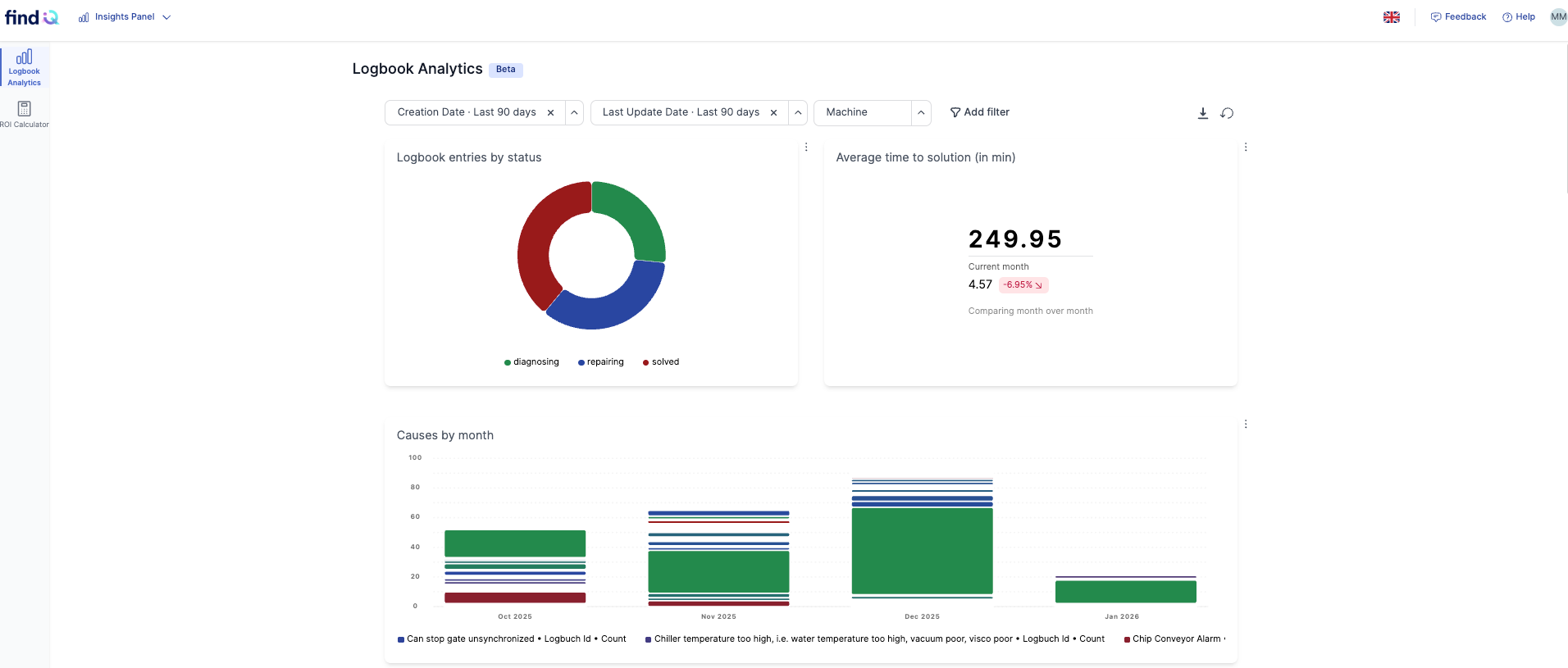
What is the Insights Panel?
The Insights Panel transforms operational service data into strategic insights.
It provides:
Preconfigured dashboards with key performance indicators
Customisable views for individual analysis
Tools to analyse service performance and findIQ usage
The Insights Panel helps organisations understand patterns, optimise processes, and improve decision-making.
Access and navigation
The Insights Panel is only accessible to administrators.
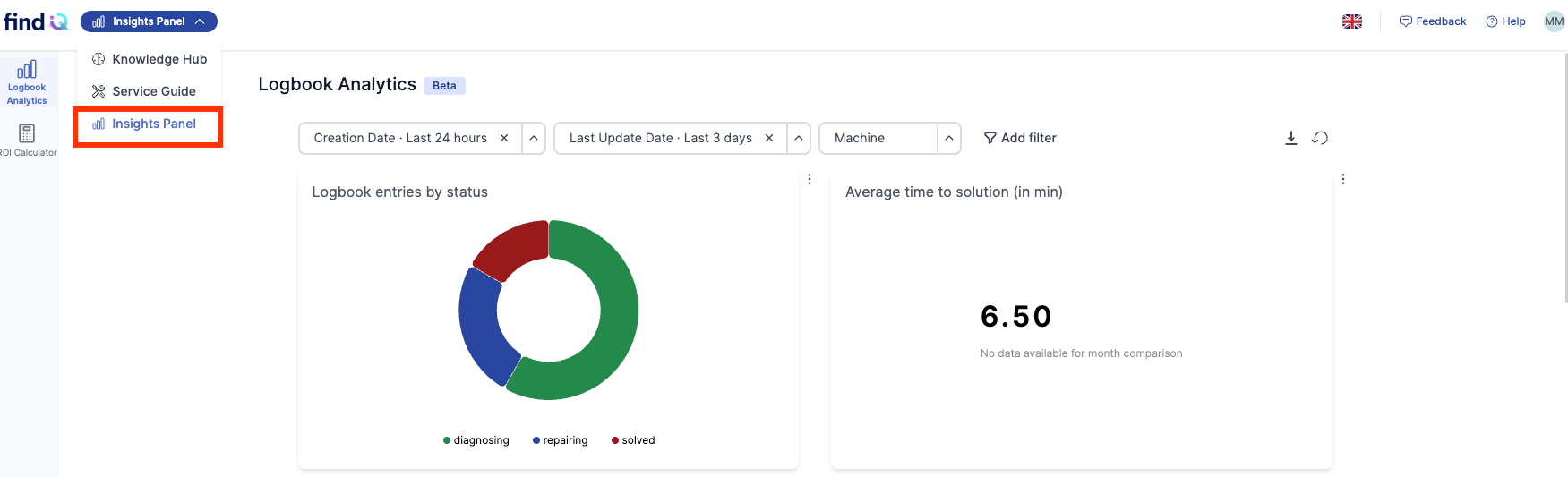
To open the Insights Panel:
Open the drop-down menu in the top-left corner.
Select Insights Panel.
Logbook Analytics – Standard Dashboards and Custom Views
The Logbook Analytics area contains a preconfigured dashboard with all relevant KPIs.
What can I do in Logbook Analytics?
You can:
Add templates: Select predefined dashboard templates via Select Template
Create custom dashlets: Use + Add View to create your own views
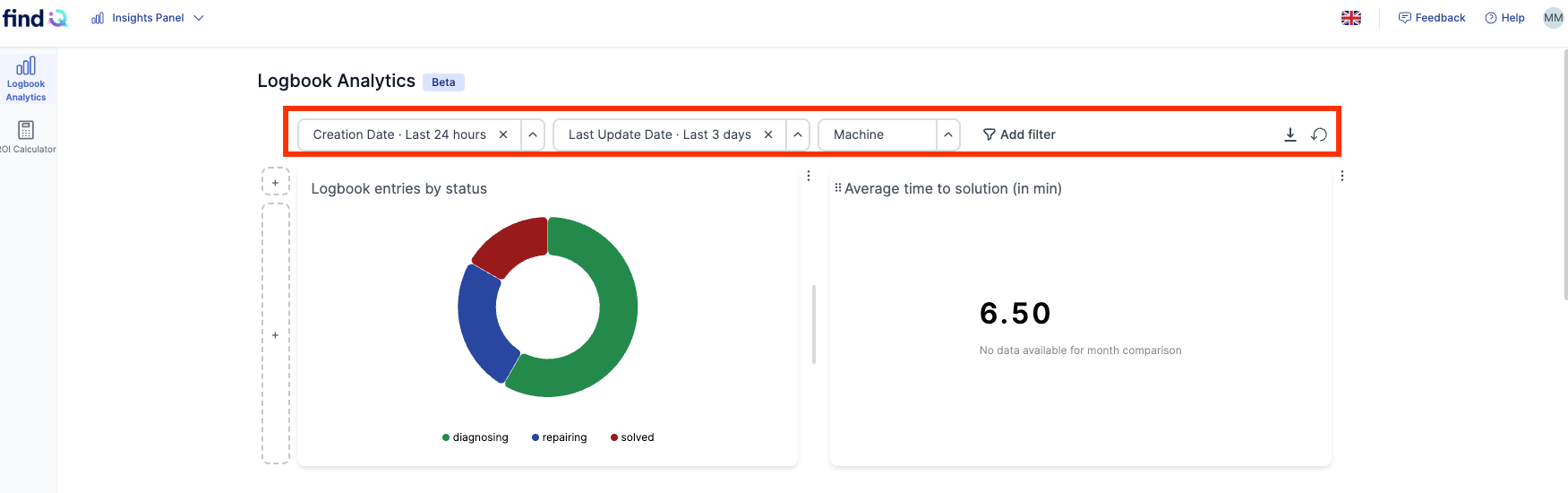
Filter data by:
Creation date
Last updated date
Individual machines
Export dashboards: Download dashboards as PDF files
Analysis and optimisation
The Insights Panel allows you to analyse service data in a targeted way and identify recurring patterns.
You can use these insights to:
Plan training: Focus training on frequently occurring issues
Avoid problems: Detect patterns early and intervene proactively
Track custom KPIs: Monitor performance metrics tailored to your specific use case
Track findIQ usage: Analyse how often and by whom findIQ is used across your organisation
ROI calculator – profitability analysis
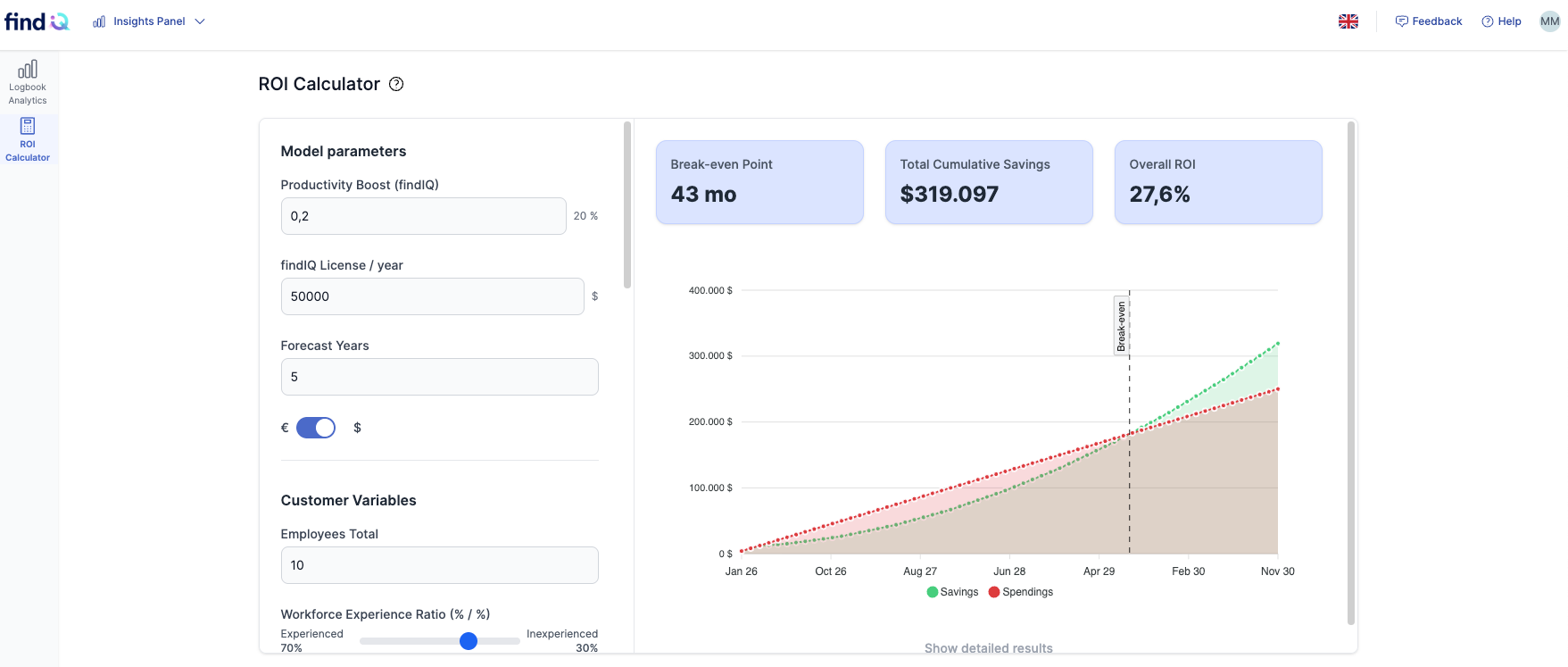
The Insights Panel includes an integrated ROI calculator that allows you to calculate the profitability of findIQ for your organisation. After entering parameters such as licence costs and number of employees, you will receive:
Break-even point: The month in which findIQ pays for itself
Total cumulative savings: The financial gains over the forecast period
Total ROI: The percentage return on your investment
Graphical representation: Visual representation of savings over time
FAQ
Who can access the Insights Panel?
Only users with the Administrator role can access the Insights Panel.
Is the Insights Panel available in all languages?
No. The Insights Panel is currently in beta and is only available in English. Additional languages will be added in future releases.
Can I export dashboards and analyses?
Yes. All dashboards in the Log Analytics area can be exported as PDF files.
Can I customise the dashboards?
Yes. You can:
Add predefined templates
Create your own custom views using + Add View
Filter dashboards by date or machine
Does the Insights Panel affect productive systems?
No. The Insights Panel is a read-only analytics area. It does not change templates, heat maps, or operational data.
Why do I not see any data in my dashboards?
This can happen if:
No log data is available yet
Filters are too restrictive
Templates have not been used in productive service cases