Variants (Closed Beta)
Learn how to use the heatmap filter and filtered test runs to represent multiple machine variants within a single heatmap.
Written By Henriette Hellweg
Last updated 5 months ago
Closed Beta – You can test this feature upon request.
With the Editor or Administrator role.
Note: With the first milestone of Variants, we have laid the groundwork for cleanly representing variants via filters: You can filter heatmaps with AND logic, strictly exclude content outside of the selected labels, and start a test run directly from the filtered heatmap – optionally with predefined filters via URL parameters.
What is included in the first version of Variants?
New heatmap filter logic with AND linking (Heatmap Filter)
Strict exclusion of elements that do not match the selected filters/labels
Start a filtered test run
Save and share filters via URL parameters
Note: The remaining planned milestones are already documented in our roadmap.
When to use?
When the knowledge of multiple variants of a machine or system should be represented together in a single heatmap.
The knowledge of the variants should overlap by approximately 50% or more.
If the overlap is lower, it is recommended to create separate heatmaps.
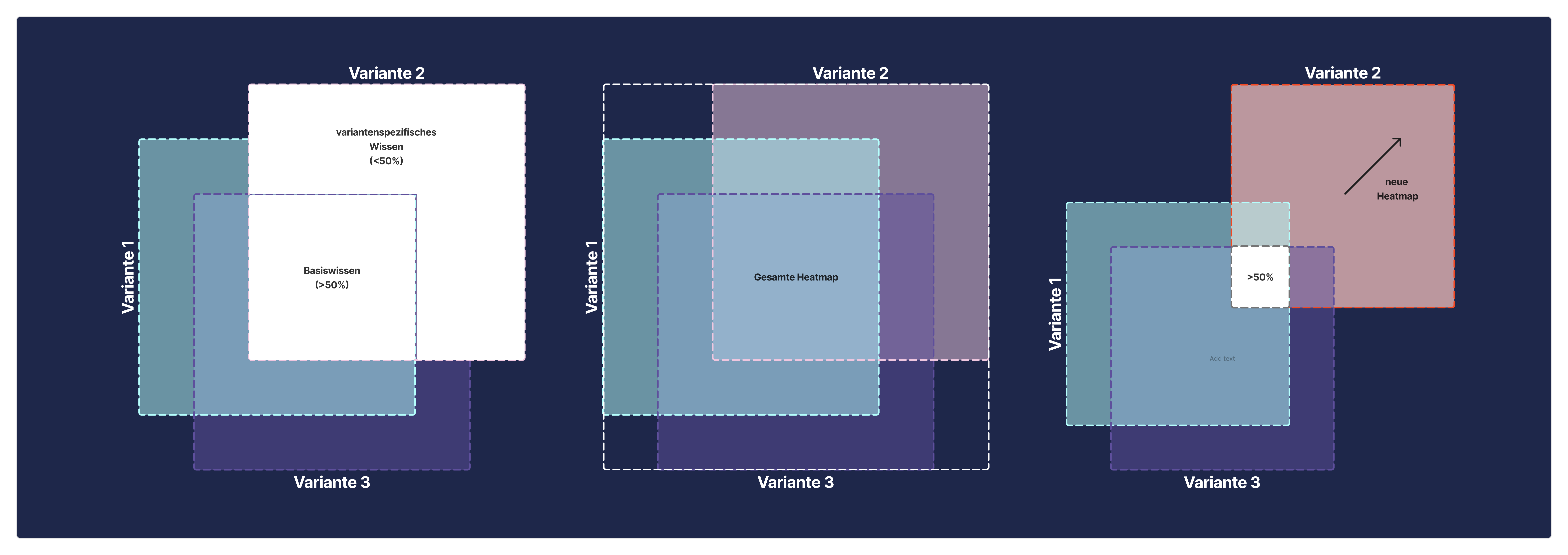
When parameters represented by labels are mutually exclusive, or when certain parameters should be consistently excluded from troubleshooting.
Prerequisites
Prerequisites for variant filters to work reliably:
The variants feature is activated for your organization.
If you are unsure whether variants are activated, contact your Customer Success Manager, or open a Support Ticket under “Feedback”.
The causes and symptoms of your heatmap are consistently labeled.
The labels are chosen so that they can uniquely narrow down a variant (e.g. series, software version, equipment).
Data Structure Basics
Filtering with AND Logic
When you combine multiple filter criteria, the heatmap only shows entries that meet all criteria simultaneously.
Example (Variant Slice):
Filter 1: Labels → “Series A“
Filter 2: Labels → “Software-Version 3.3“
Filter 3: Labels → “Ausstattung Premium“
Result: You only see content that matches Series A AND Software Version 3.3 AND Equipment Premium.
This way, by selecting specific, variable parameters, multiple machine, equipment, or product variants can be represented from a single heatmap.
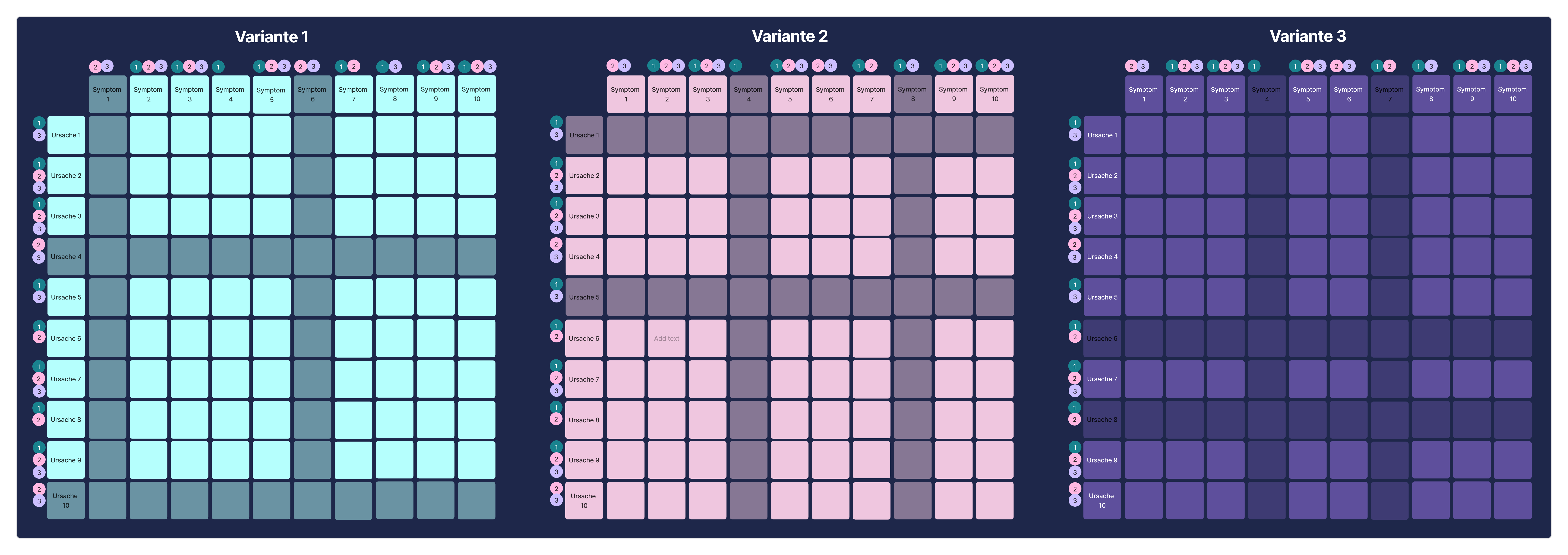
In the simplified example, the causes and symptoms of the heatmap were labeled with three variant labels (1, 2, 3). When filtering by Variant 1, all elements that do not have this label are removed and not shown in the troubleshooting test run.
Tip: If you are new to filtering, start with the basics article: Heatmap Filter.
Filtering in a Chain
Depending on the complexity of the variants, chaining can additionally be used to represent the system more clearly across multiple heatmaps. The chained heatmap can be filtered using the same filters as a simple heatmap and tested in a test run.
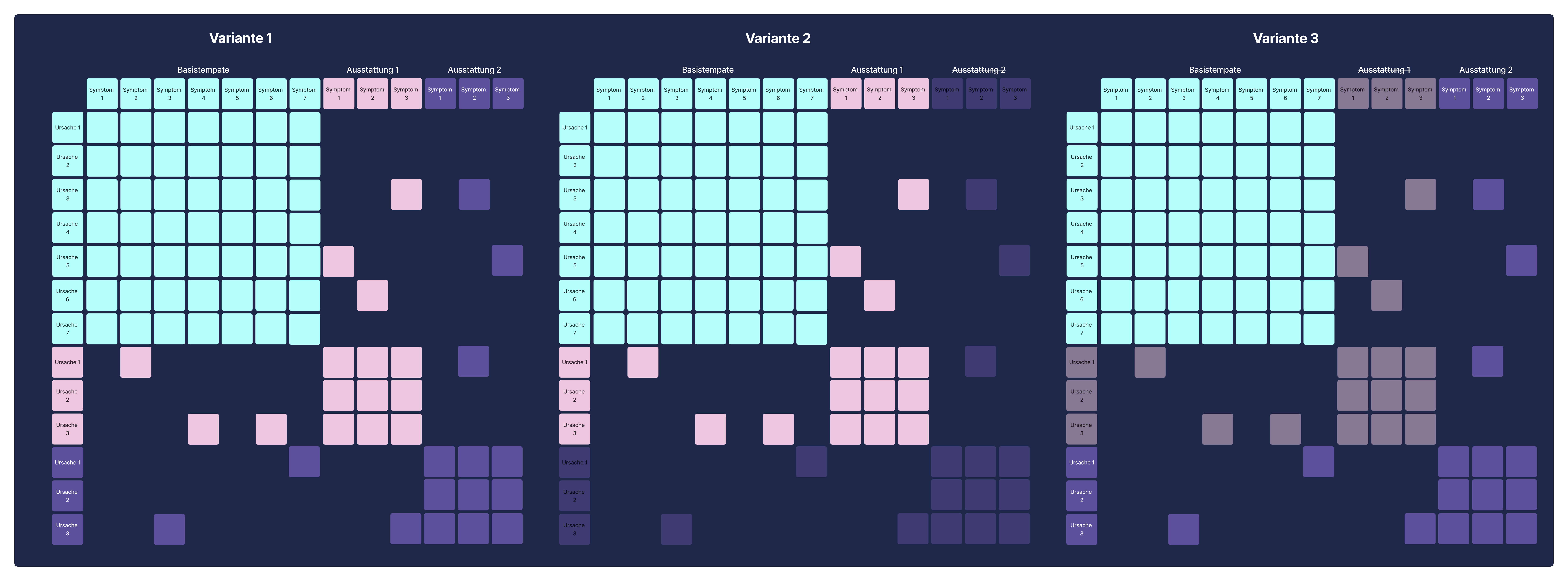
When creating variants using chaining, the equipment features or components are first assembled from individual templates using chaining, and then the variant is composed via the heatmap filter by selecting/excluding individual templates/labels. The respective equipment variant can then be saved and shared via URL.
Troubleshooting / Test Run
To verify whether the requirements we have gathered for variant management in findIQ match the actual requirements of our customers and users, in this first milestone a test run can be started directly from the filtered heatmap, allowing the troubleshooting to be tested.
Important: No log entry is created from filtered test runs, and test runs can only be executed by Editors and Administrators.
What happens?
The currently set filters are applied.
The test run operates in the context of a restricted knowledge base (variant).
Save and Share a Variant
The test run URL contains the filter parameters and can therefore be saved and shared.
How is it used?
You share a link that preconfigures the heatmap or troubleshooting directly for a variant.
An integration (e.g. from a customer-side system) passes article/variant data to preselect the appropriate view.
Examples
All variant types in findIQ are typically maintained in a shared “base” heatmap (150% heatmap), and differences are represented via Labels: Causes and symptoms that only apply to a specific machine variant receive the corresponding variant label. The appropriate variant is then cleanly extracted from the base heatmap using the heatmap filter.
Machine Variants
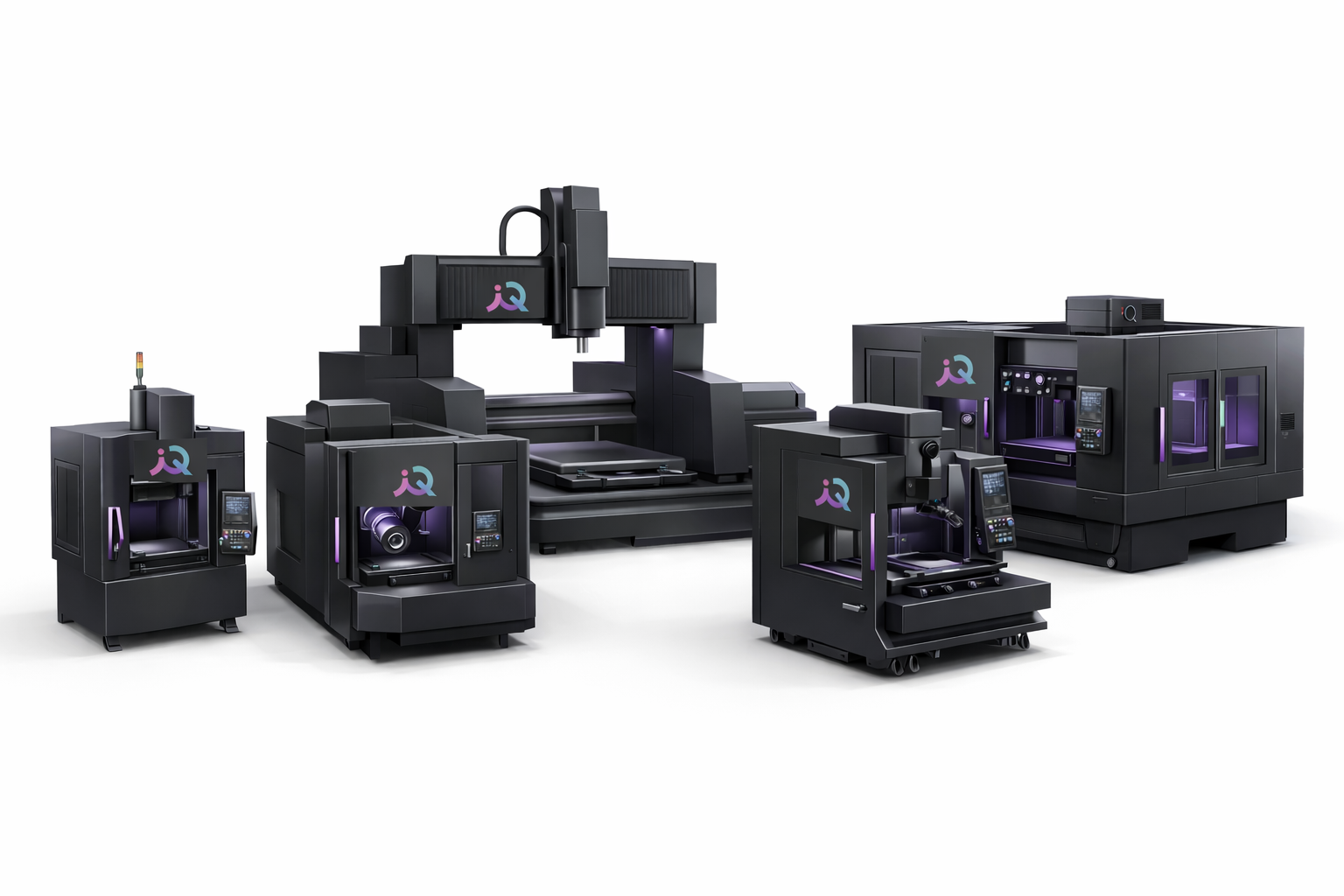
Machine Variants occur when the same machine (or the same base template) exists in different designs or configurations – e.g. a CNC milling machine as 3-axis, 5-axis, Portal, or Universal. The variants differ in components, materials, year, series, etc. These parameters should be carefully structured and set up in advance (e.g. “CNC Variante – 3-axig”, “CNC-Variante – 5-axig”, “CNC-Variante – Serie A”, “CNC-Variante – Serie B”, “CNC-Variante – Serie C”, …).
Note: In the future, variant labels will receive their own metadata management (Milestone 2).
Equipment Variants
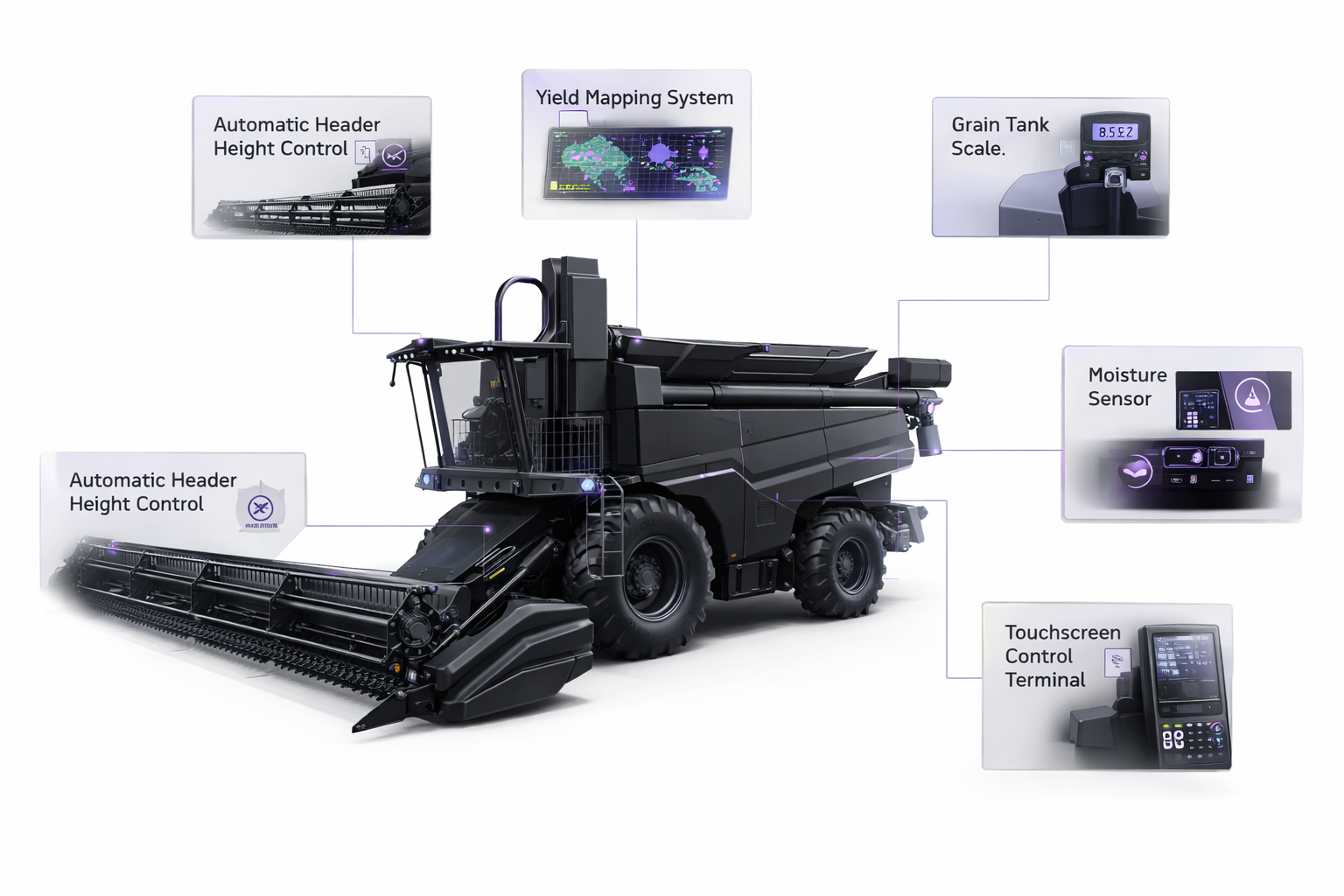
Equipment Variants describe optional or interchangeable components that can affect fault patterns and procedures – e.g. in an agricultural machine, different sensors, software, control panels, cameras, dispensing/conveyor modules or a scale. If the equipment makes sense as an independent, reusable knowledge element (e.g. a camera module used in multiple machines), it is ideally set up as a chain : The equipment module is maintained as its own template with its own heatmap and then linked into the respective machine. Variant details within an equipment type (e.g. camera type A/B) can additionally be filtered via labels. In a chain, entire templates can also be excluded from the test run using filters.
Product Variants
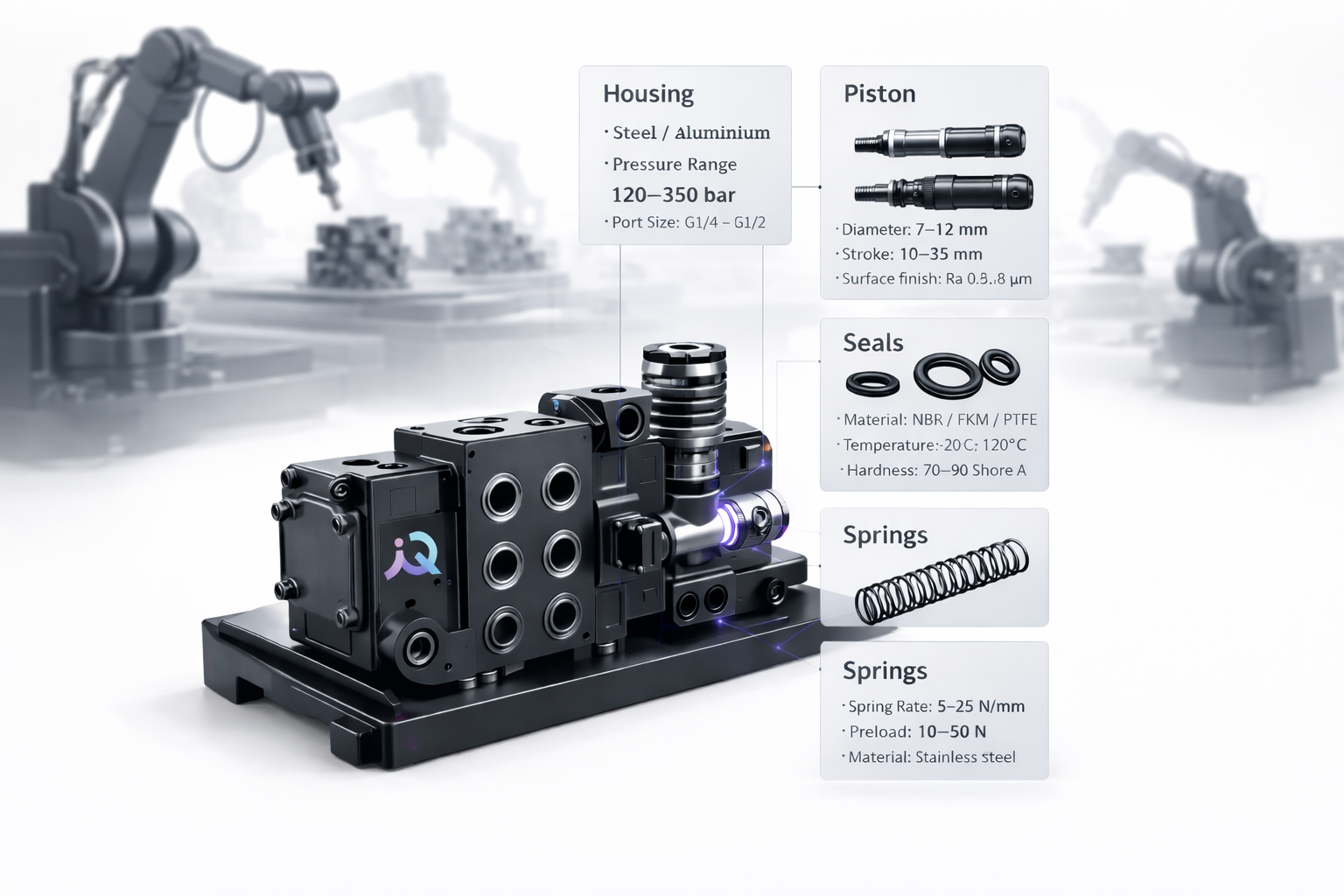
Product Variants occur when a system/station processes different products and relevant parameters change as a result – e.g. an assembly station that mounts hydraulic valves with different components, sizes, lengths, etc. In the heatmap, these product-dependent differences are modeled via Labels just like machine variants (e.g. “Variante Hydraulikventil – Hülle – Stahl“, “Variante Hydraulikventil – Kolben – 12mm“), so that you can narrow down the troubleshooting to the product variant being assembled. If individual product modules (e.g. piston or spring) are reusable and can be maintained independently, chaining is also recommended here.
Important: With the current milestone, permission-based variants cannot be represented, as filtering by permission is not possible. For symptoms and causes, permission labels can be created as a workaround, but routines cannot be filtered.
FAQ
Why do I see fewer entries than expected?
Why do I see fewer entries than expected?
Why is content missing completely?
Why is content missing completely?
How does this differ from later variant milestones?
How does this differ from later variant milestones?