Machines
Here you’ll learn how machines are created, organized, and linked with access rights.
Written By Tommy Giesbrecht
Last updated About 1 year ago
What are Machines?
With the Machines feature, you can create concrete machines from templates and linkages.
Templates and linkages contain the knowledge.
Machines represent the actual physical equipment.
Any changes made to templates or linkages are automatically applied to all associated machines.
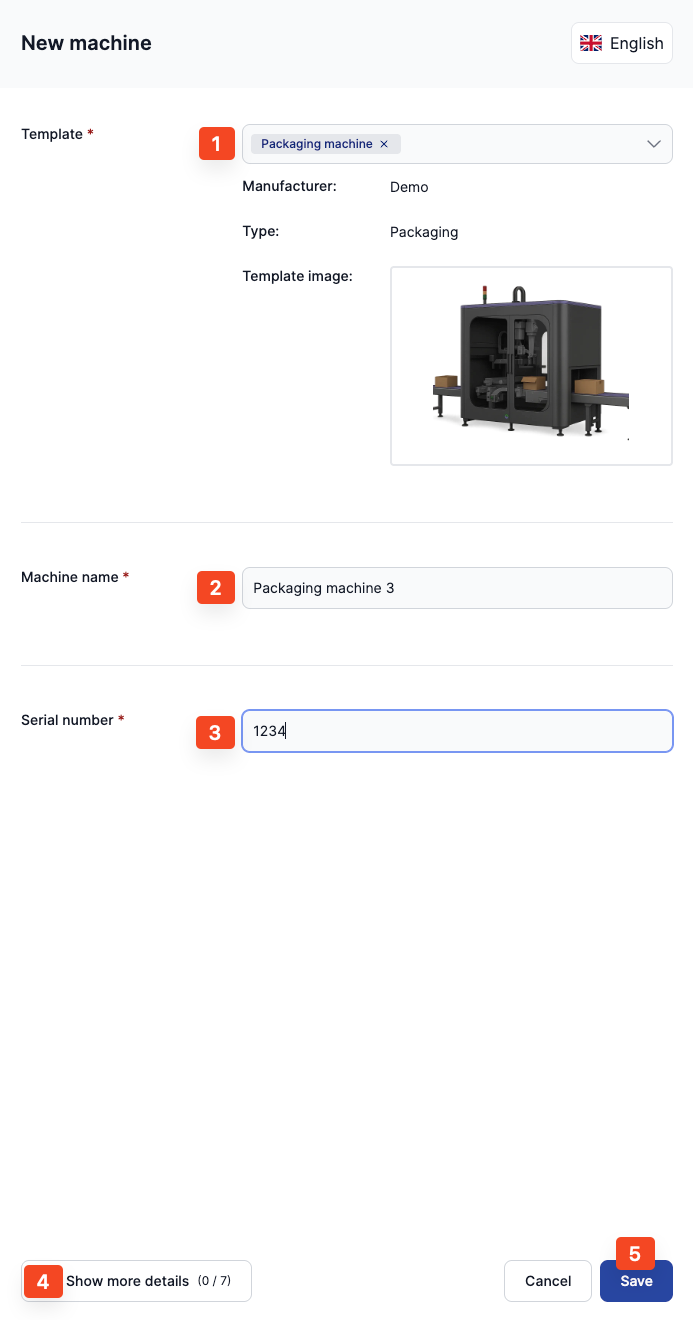
Create Machine
Select a template or linkage
Assign a name (for identification)
Enter the serial number
Add further details (optional)
Manage Access Rights
User Groups
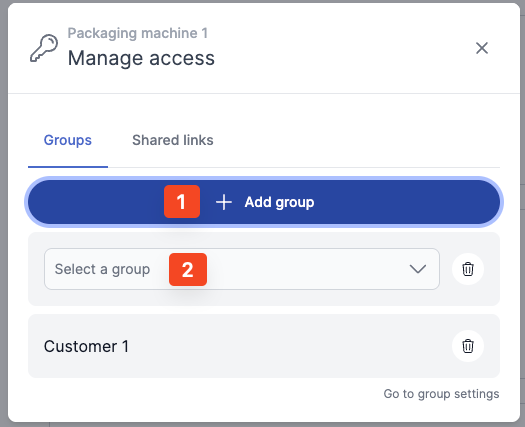
In the settings, you can create user groups – for example, for departments or customers.
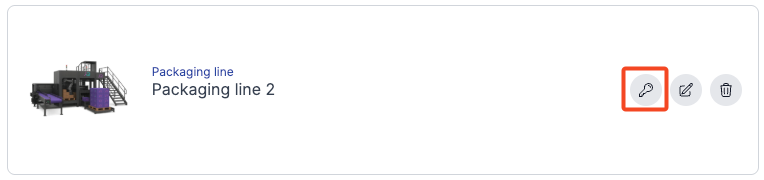
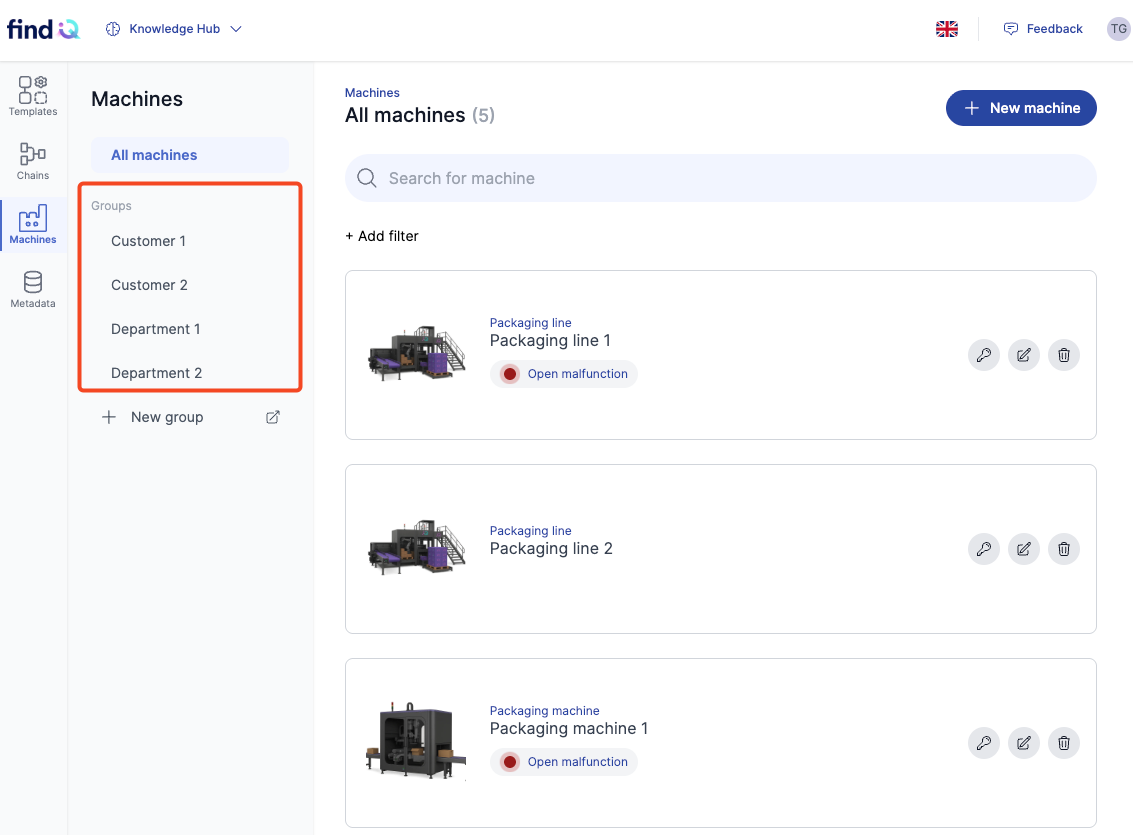
Using the key icon on a machine, you can assign the appropriate group and set access rights.
In the navigation, the machine list can be filtered by user groups.
Shared Links
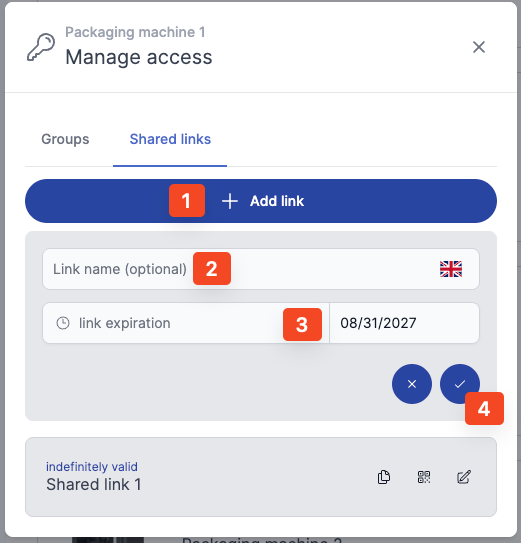
Links can be created that allow access even for users without a login.
Use the key icon under the “Shared Links” tab.
Multiple links can be created per machine. Each link can be given an individual title (e.g., indicating who it was shared with). The validity period of a link can also be restricted.
A QR code can additionally be generated – ideal for attaching directly to the machine, giving users instant access to the right link.